
BOBPerformance FAQ
How to use the datalog function with your KESS3
Our help and technical support articles.
Date :
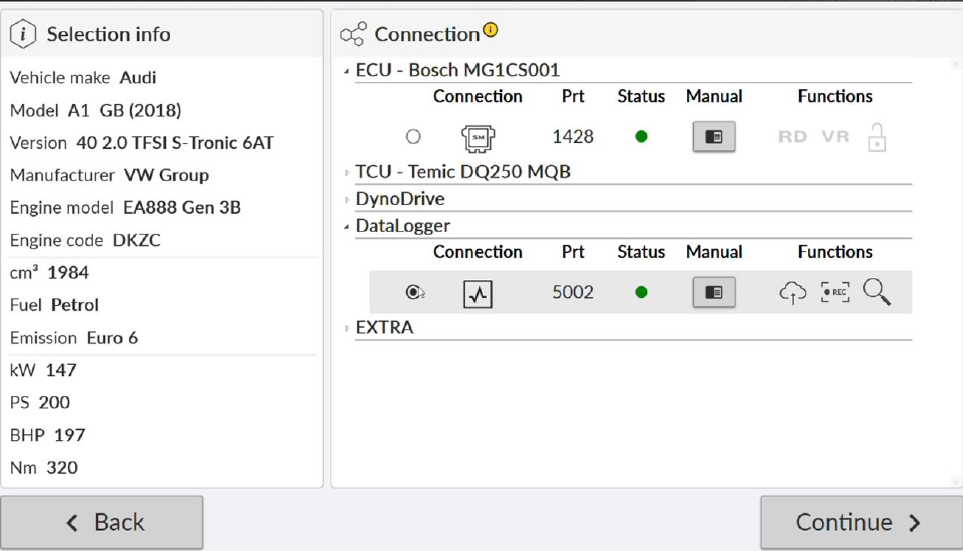
1. Select your vehicle and the DataLogger function
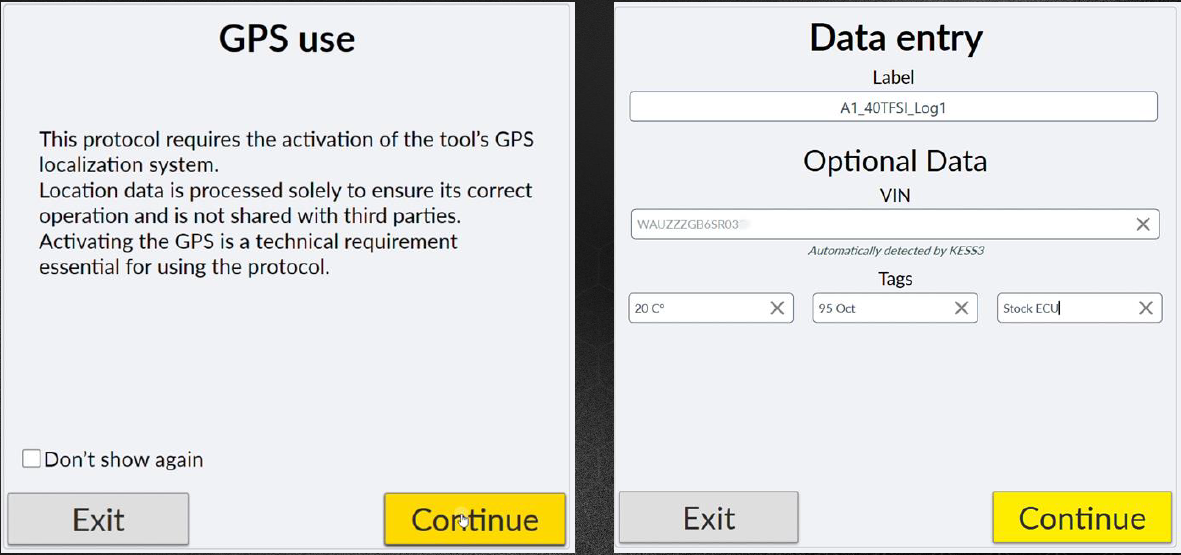
2. Enable the GPS function and add the vehicle details
- VIN
- Temperature
- Fuel type
- Log name (e.g. bmx_x3_registration_stage1)
3. Select the various variables
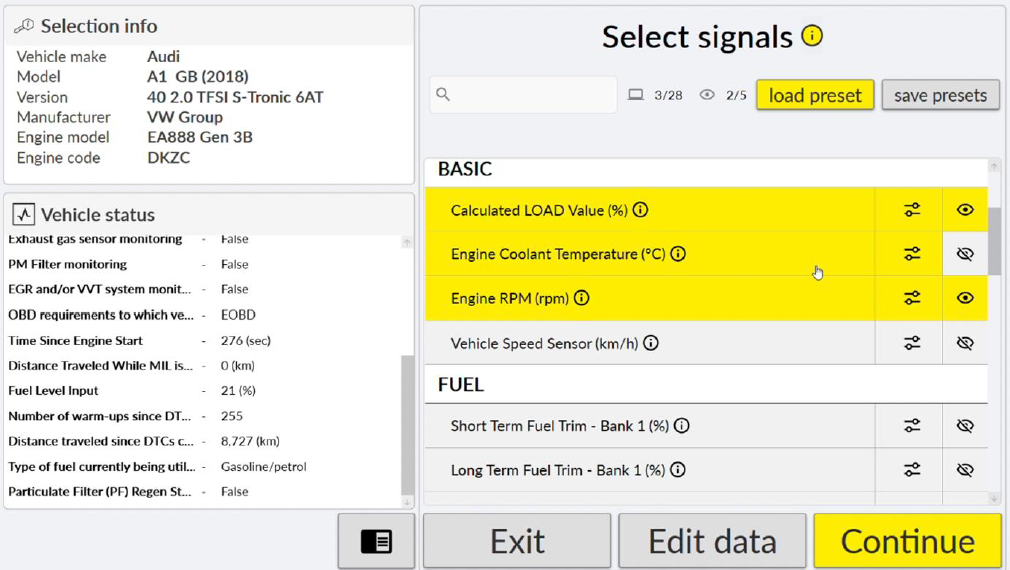
For example:
- Turbo pressure
- Load
- Acceleration
- Air/fuel ratio
- Exhaust gas temperature
- Intake temperature
- Ignition timing
- Short-term and long-term adjustments
It is possible to set a minimum and maximum value for each parameter. Thus, if the value is exceeded, it will turn red during recording.
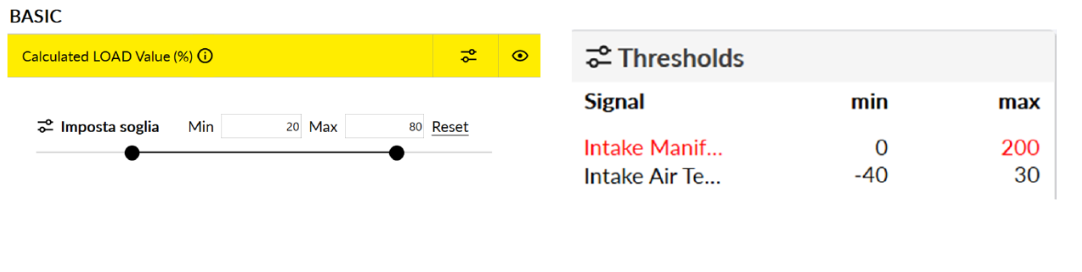
You can check whether the selected variables are correct before starting data acquisition. If they do not, you can select different parameters.
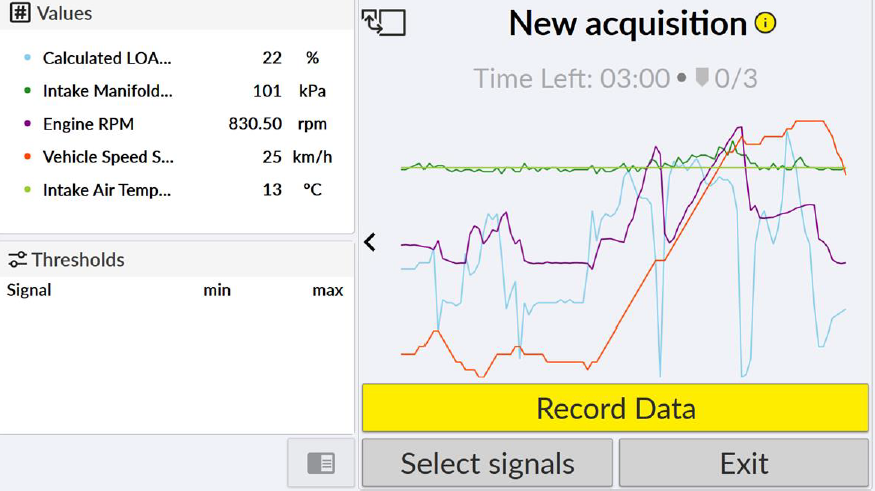
4. Start recording by clicking on “Record data”
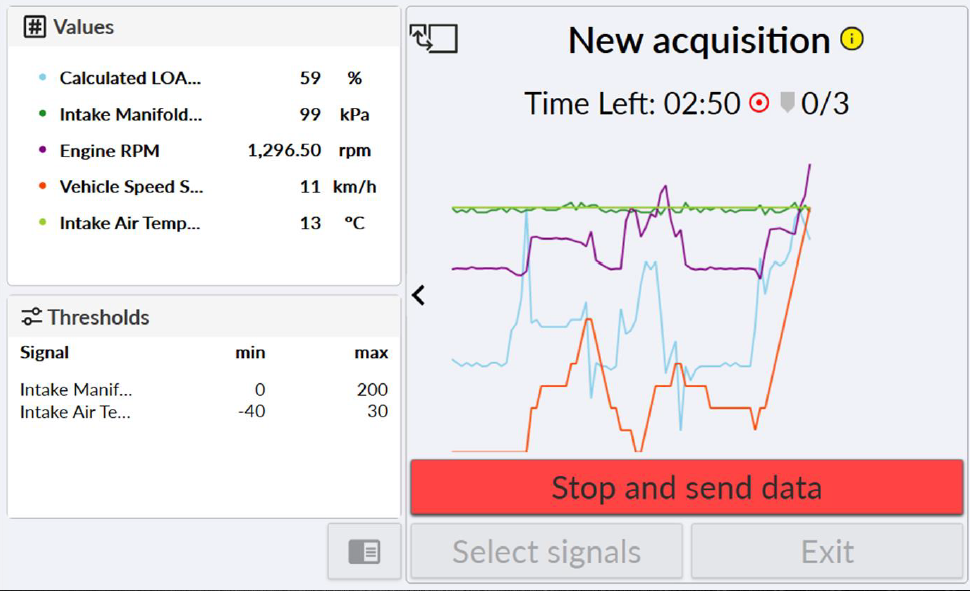
5. Stop recording
When you save, the data is stored on the Alientech server. If there is no connection, the data is stored in the KESS3 and uploaded once you are back online.
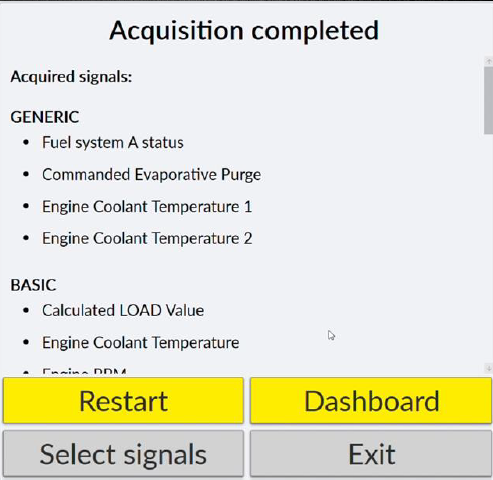
- Restart: resume recording
- Dashboard: access the online dashboard
- Select Signals: select variables
- Exit: close
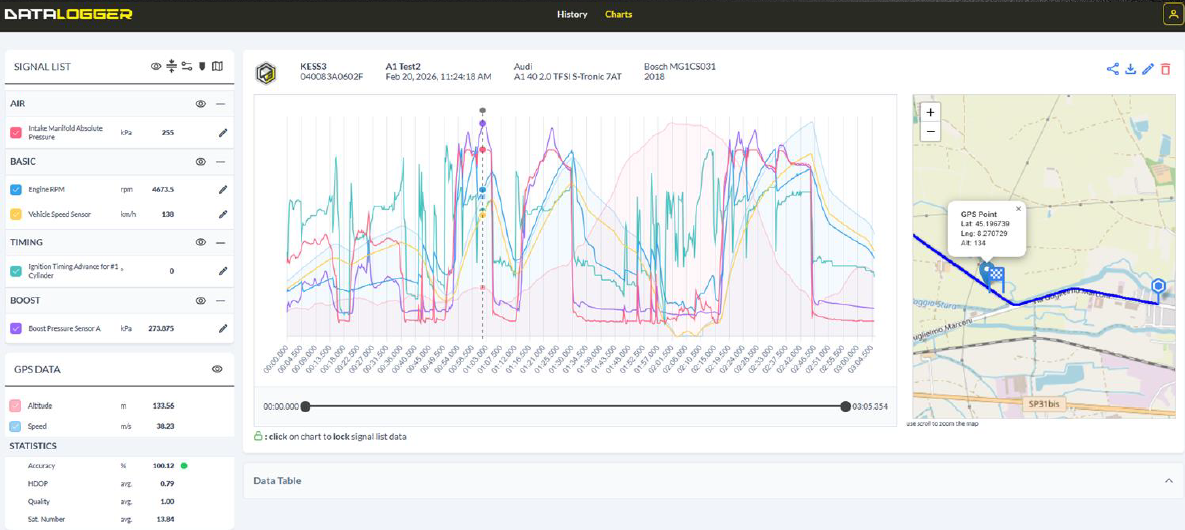
6. Go to the Alientech Dashboard to view the various logs
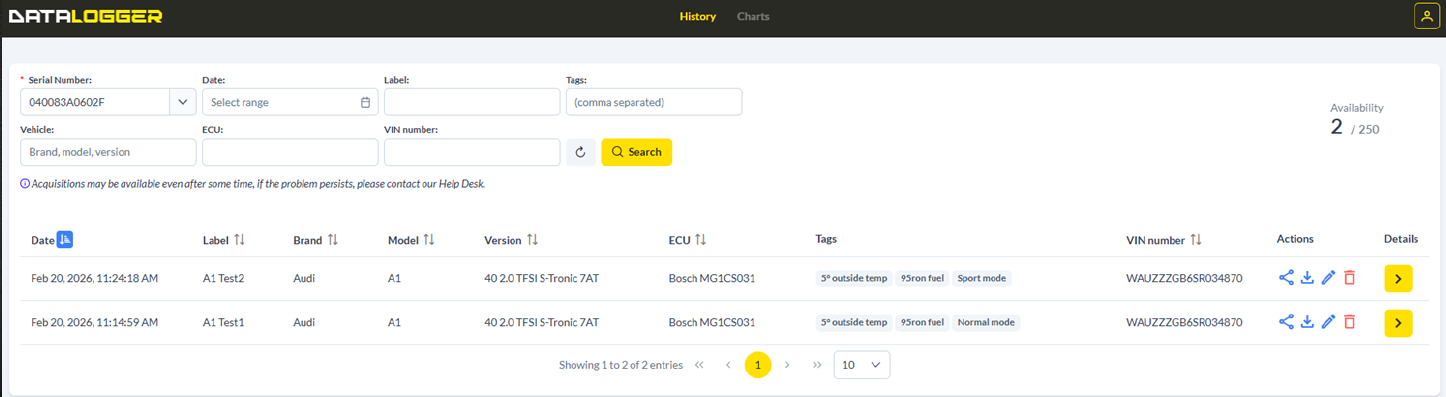
You can:
- View the various logs
- Export logs to CSV
- Share a log by generating a link
- Edit a log’s “name” or the vehicle details
- Delete a log
22 October 2025
24 November 2025
27 September 2026
27 September 2026